
If your iPhone 16 charges wirelessly but will not charge through its USB-C cable, the charging port is one possible cause. It is not the only one. The cable, charger, connector condition and charging electronics all need to be considered before deciding what to replace.
At Fonebook in Horden, near Peterlee, I recently repaired an iPhone 16 with exactly this problem. A replacement charging port did not solve it. Further diagnosis led me to the USB charging circuitry on the motherboard, and the complete charging repair was quoted at £120.
I’m Kunal, and this is the story of the phone that came into our shop on 26 October 2026: what I found, what I repaired and what you should check before paying for a similar repair.
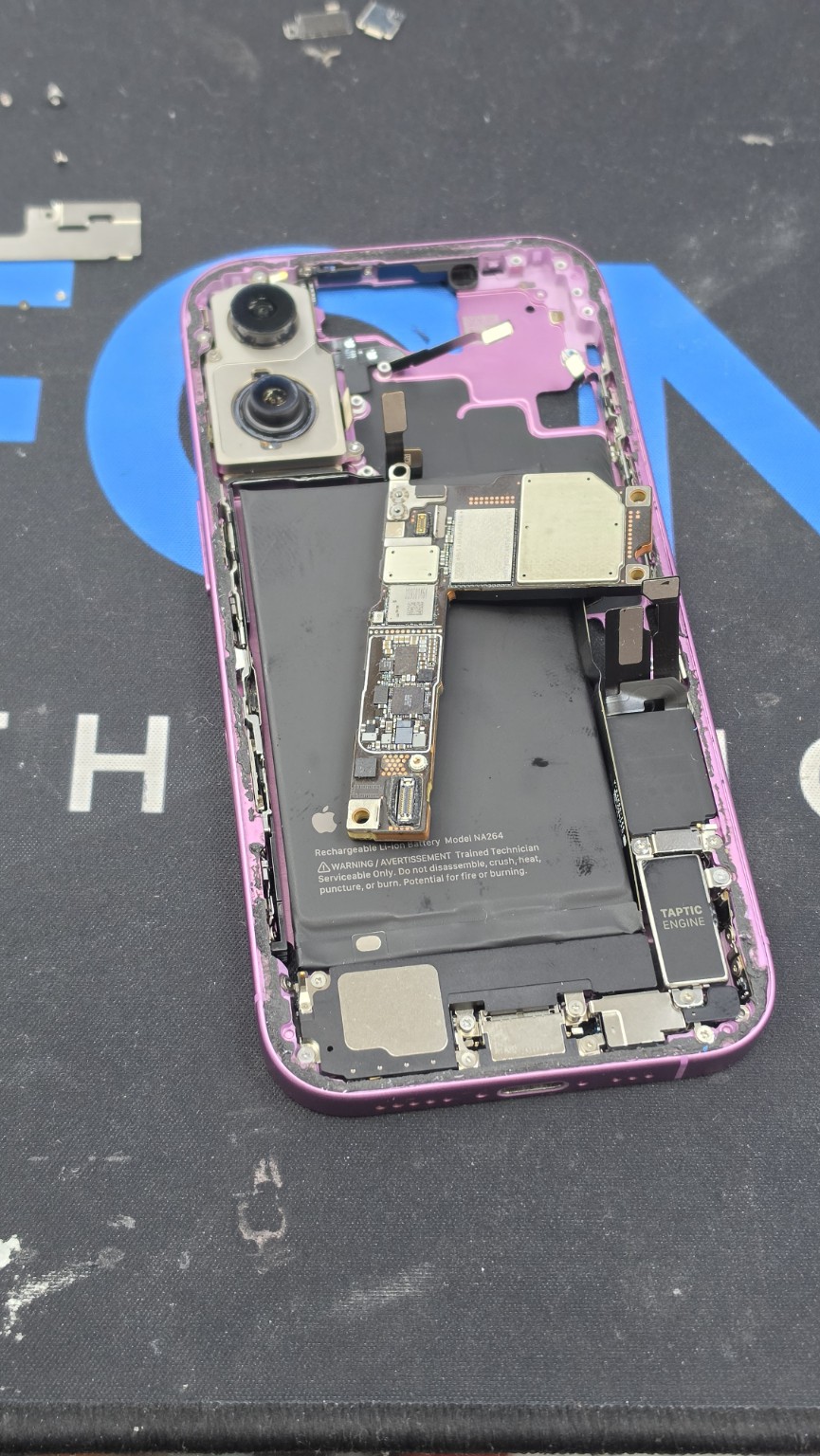
*Original photo from this Fonebook repair. All four photographs in this article show the handset or motherboard during the work.*
What to check if your iPhone 16 only charges wirelessly
My first suggestion is simple: restart the phone, then try charging it by cable again. Before booking a repair, also work through these basic checks:
1. Try another working USB-C cable and charger. Check for damaged accessories and try a different wall socket.
2. Look at the charging port. A cable that will not seat properly may have an obstruction or connector damage. If you are unsure, have the port inspected rather than forcing the plug in.
3. Read any warning on the screen. A liquid-detection alert needs different handling from a phone that simply does not respond to a cable.
Apple's charging troubleshooting guide also recommends restarting, checking accessories and connections, and seeking service if charging still fails.
If you see a liquid alert, disconnect the cable and follow Apple's liquid-detection guidance. Let the connector and cable dry before reconnecting. Do not use heat, compressed air or rice to dry the phone, and do not insert objects into the connector.
If the phone is still usable, back up your important data before repair. You can then contact Fonebook for guidance, bring it into the shop or arrange a postal repair.
Our case: wireless charging worked, but the cable did nothing
On the afternoon of 26 October 2026, a customer brought us her daughter's iPhone 16 because it would not charge through the charging port.
Wireless charging worked normally. The phone otherwise behaved as expected: it switched on, was not overheating and was not showing unusually fast battery drain.
We initially quoted for a charging-port replacement. After replacing the port, however, the original cable-charging fault was still there.
I rang the customer to explain that the problem could be on the motherboard and that we needed to investigate further before confirming the repair cost. Following that diagnosis, I quoted £120 for the complete charging repair.
This is why a charging complaint needs proper diagnosis. In this case, fitting a new port alone did not get the customer's phone charging again.
How I investigated the USB charging IC
With the motherboard accessible, I removed the shield over the area I needed to inspect and checked the voltage around the USB charging IC. An IC is a small electronic chip on the board.
I was checking three nearby capacitor test points where I expected readings around 3.3 V. I found missing or much lower-than-expected voltage in that area. Those measurements guided my investigation of the charging circuit and the decision to remove the USB charging IC.
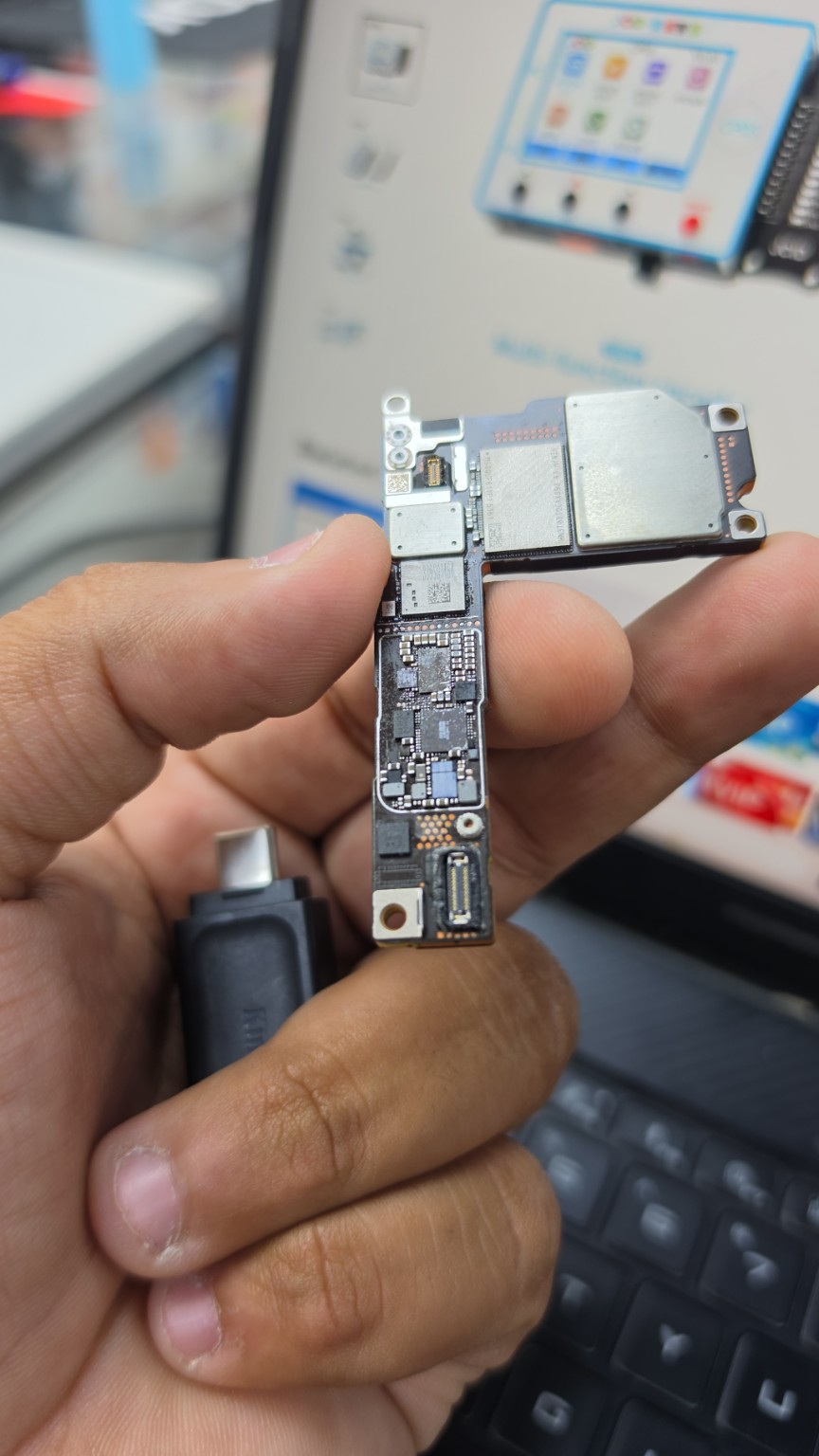
*The removed motherboard during the repair. Voltage measurements came from our workshop testing; the photo shows the physical board.*
These were findings on this particular phone. Wireless charging working does not, by itself, identify a faulty chip. A faulty cable, damaged connector or another problem can produce a similar complaint.
The repair: transferring and fitting two donor chips
For this job, I used an iPhone 16 Pro donor board. I transferred the A33-marked chip I identified as the USB charging IC, together with the associated USB controller IC from the same donor board.
Accessing the controller involved separating the donor board layers. I removed and reballed both chips, then fitted them to the customer's iPhone 16 motherboard. Reballing means renewing the tiny solder balls that connect a chip to the board.
This was a repair to the customer's existing motherboard. The iPhone 16 Pro supplied the donor components; its entire motherboard was not fitted into the iPhone 16. The donor combination described here is specific to this job, rather than a general compatibility guide.
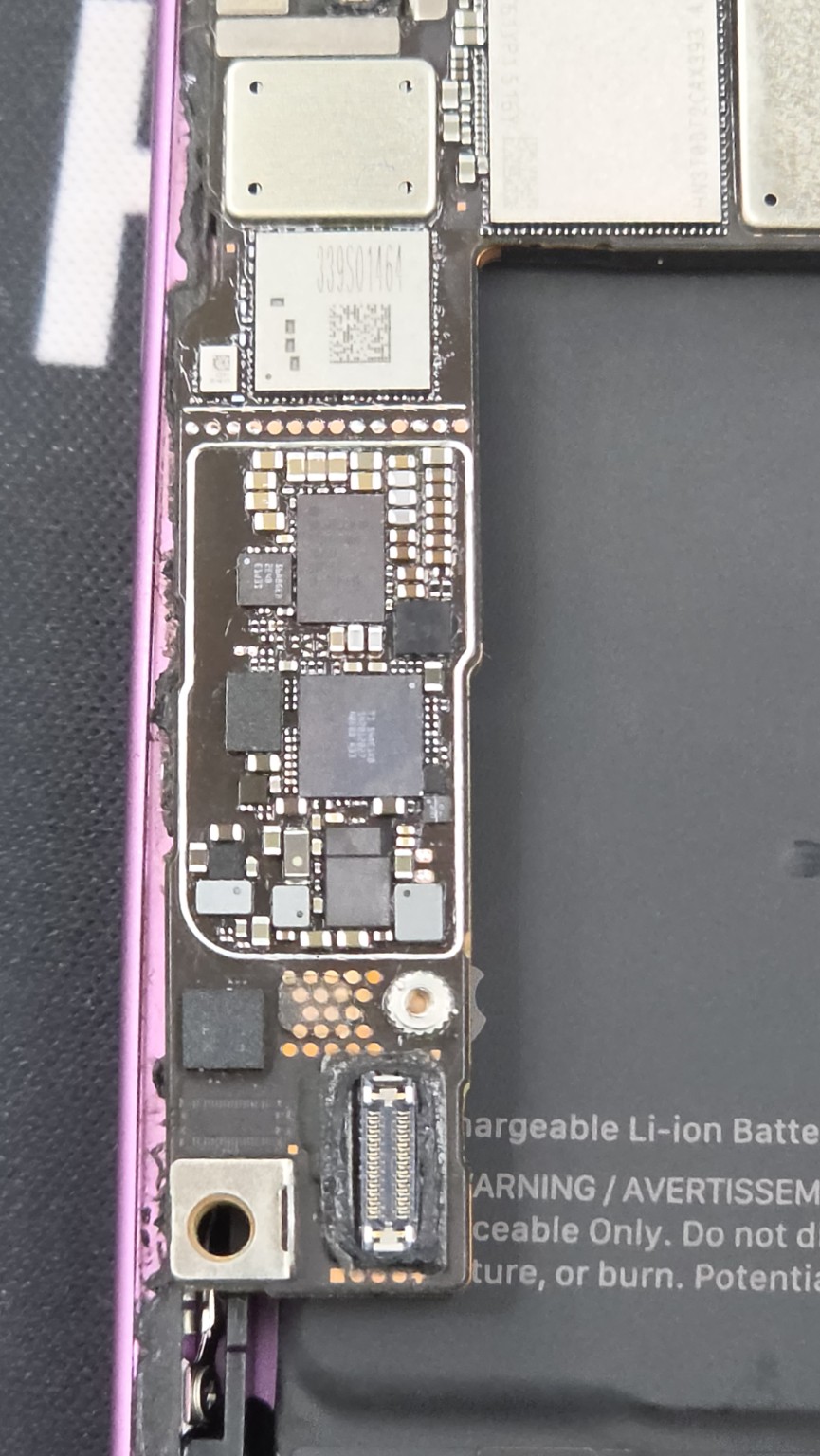
*Close-up from the job, showing the scale of the components and soldering work involved.*
Why checking the work mattered
After fitting the chips, the voltage readings at the points I had been checking returned to approximately 3.3 V. But the cable-charging behaviour was still not right.
I found that the USB controller IC was not seated correctly, so I removed it and fitted it again. Only then did I repeat the charging test.
Once the controller was fitted correctly, the phone returned to fast cable charging. My charging meter showed approximately 9 V and 3 A during the test.
Those are the readings I observed on this handset with that charging setup. They are not a fixed target every iPhone 16 must display. Apple notes that charging time varies with the charger, settings, use and environmental conditions in its fast-charging guidance.
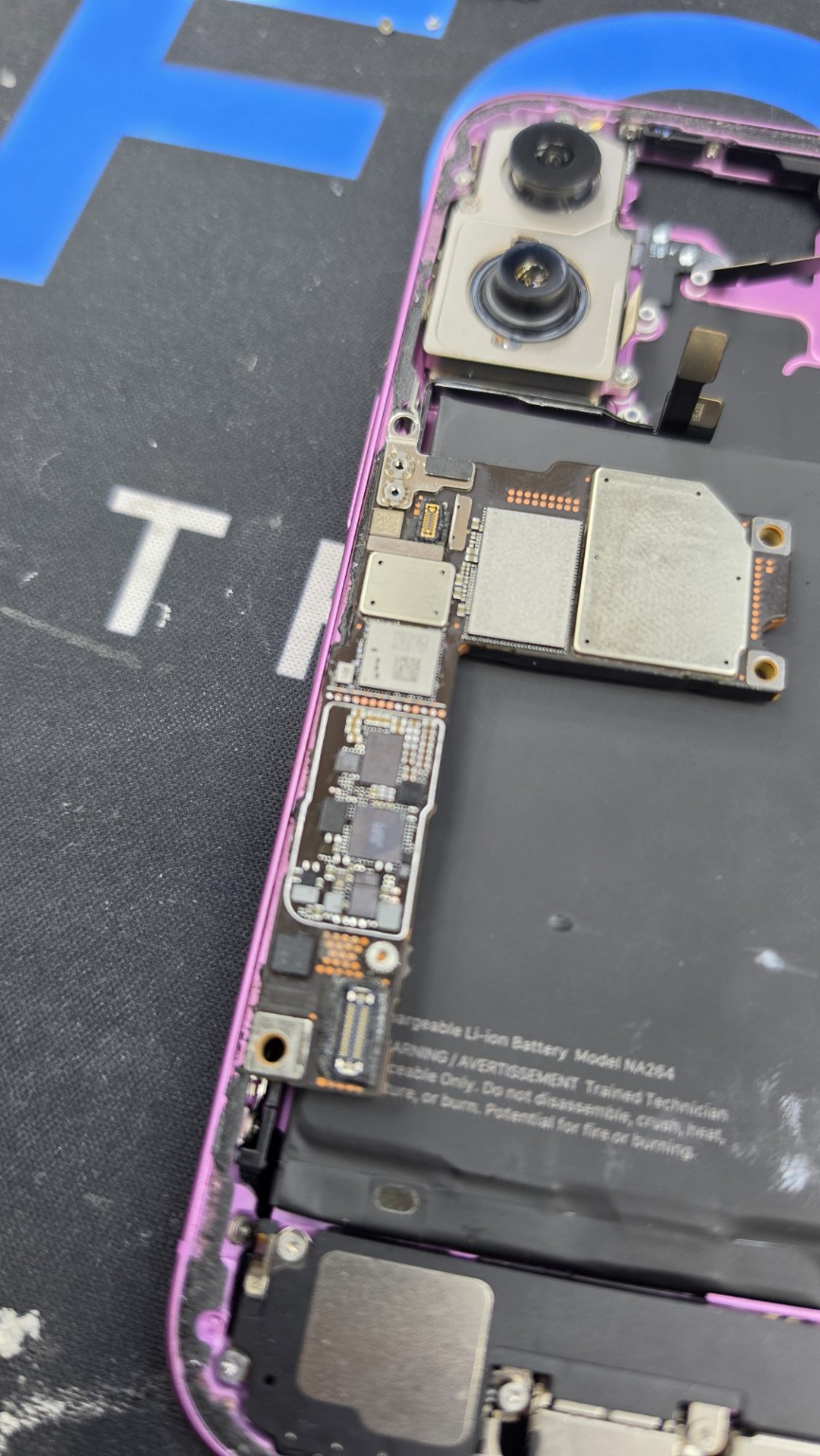
*A supporting photo from the repair. The charging result above is based on the meter reading observed during testing.*
How much did the iPhone 16 charging repair cost?
For this customer's phone, the quote was £120 for the complete charging repair, including the charging port, ICs and fitting needed to resolve the agreed fault.
Our approach for this job was straightforward: the customer was paying for a working repair. If we could not fix the charging fault, we would not charge that £120 repair fee. The phone would be returned unrepaired.
That was the quote for this case, not a fixed price for every iPhone 16 with a charging problem. Your phone may need a different repair, so we inspect it and explain the price before proceeding with the agreed work.
How long does this type of repair take?
When the required parts are available, we generally aim for same-day or next-day repair. If parts need to be ordered, the repair can take up to a week. Some components come from China, so availability and delivery affect the estimate.
Contact us for a turnaround estimate for your device. For a postal repair, confirm the sending and return arrangements before posting your phone.
Our six-month warranty for this repair
We offer a six-month warranty on our work for this type of repair, provided the phone was not water-damaged when we repaired it.
If the same repaired fault returns within that period, we fix it free of charge under that warranty. It does not cover new, unrelated problems. A liquid-damaged phone needs its own assessment rather than assuming this warranty applies.
The warranty details should be recorded on your repair paperwork. Our repair warranty is additional to your statutory rights; you can also read our Repair & Warranty Terms.
My advice: choose someone who can diagnose the motherboard
My biggest advice is to make sure you give the phone to the right person. If a charging-port replacement has not solved the problem, the next stage may involve diagnosing and repairing very small components on the motherboard.
Poor work can cause further damage and may leave a previously working phone unable to switch on. Ask the repairer who will carry out the motherboard work, what they have diagnosed and what the quote covers.
In our case, it took voltage measurements, donor-component work, refitting and retesting to restore cable charging. Finding the fault and checking the finished repair both mattered.
Questions customers ask about wireless-only charging
Does this mean my iPhone 16 definitely needs a new charging port?
No. A port fault is one possibility, but our customer's phone still would not charge by cable after the port was replaced. The cause needs to be diagnosed on the individual handset.
Does working wireless charging prove the USB charging IC is faulty?
No. It is useful information to give the technician, but it does not identify the failed component. Our motherboard diagnosis also involved voltage checks and the results of the repair work.
Will I need a whole new motherboard or a new phone?
Not necessarily. In this case, we repaired the charging circuitry on the customer's existing motherboard and restored cable charging. Whether another phone can be repaired depends on its actual fault and condition.
Can I send my phone to Fonebook?
Yes. We offer postal repairs as well as in-store visits. Contact us first to discuss the fault, the repair process and the postal arrangements.
iPhone 16 charging repairs in Horden, near Peterlee
If your iPhone 16 only charges wirelessly, tell us what happens when you plug in the cable and which chargers you have already tried. We can help you work out the next step.
Fonebook — Unit 5 Cotsford Lane, Horden, SR8 4JJ
Call: [07888 008871](tel:+447888008871)
Book a repair at fonebook.co.uk or contact Fonebook to arrange an in-store visit or postal repair.
*Case received: 26 October 2026. Written from Kunal's account of the repair, with original workshop photographs. General charging checks are linked to Apple's guidance; the diagnosis, component work and quoted price describe this individual Fonebook case.*